



At 3:10 p.m., a buyer messages a builder’s WhatsApp number asking to see a 2 BHK in Gotri on Saturday. Priya says she’ll confirm a slot by 4 p.m. Then she heads out for a site visit. Rahul sees the thread a little later. Does Priya still have it covered, or should he call the site office and send the buyer a location pin?
With a shared WhatsApp team inbox, both agents can work from the same business number and see who owns the conversation. Rahul can pick up the enquiry with the original messages, the promise Priya made and a clear next step. The buyer can keep using the same chat.
How one number works for a team
Customers message the number they already see on your website, ads or brochures. Inside an agent workspace, the team can receive those messages, check the conversation history and send replies from that business number. Assignment makes it clear who is responsible for the next customer-facing action.
The Implifie shared WhatsApp inbox brings assignment, conversation history, internal notes and CRM context together. A teammate can check stock, availability or pricing and leave a note in the thread. The owner can then give the customer one clear answer.
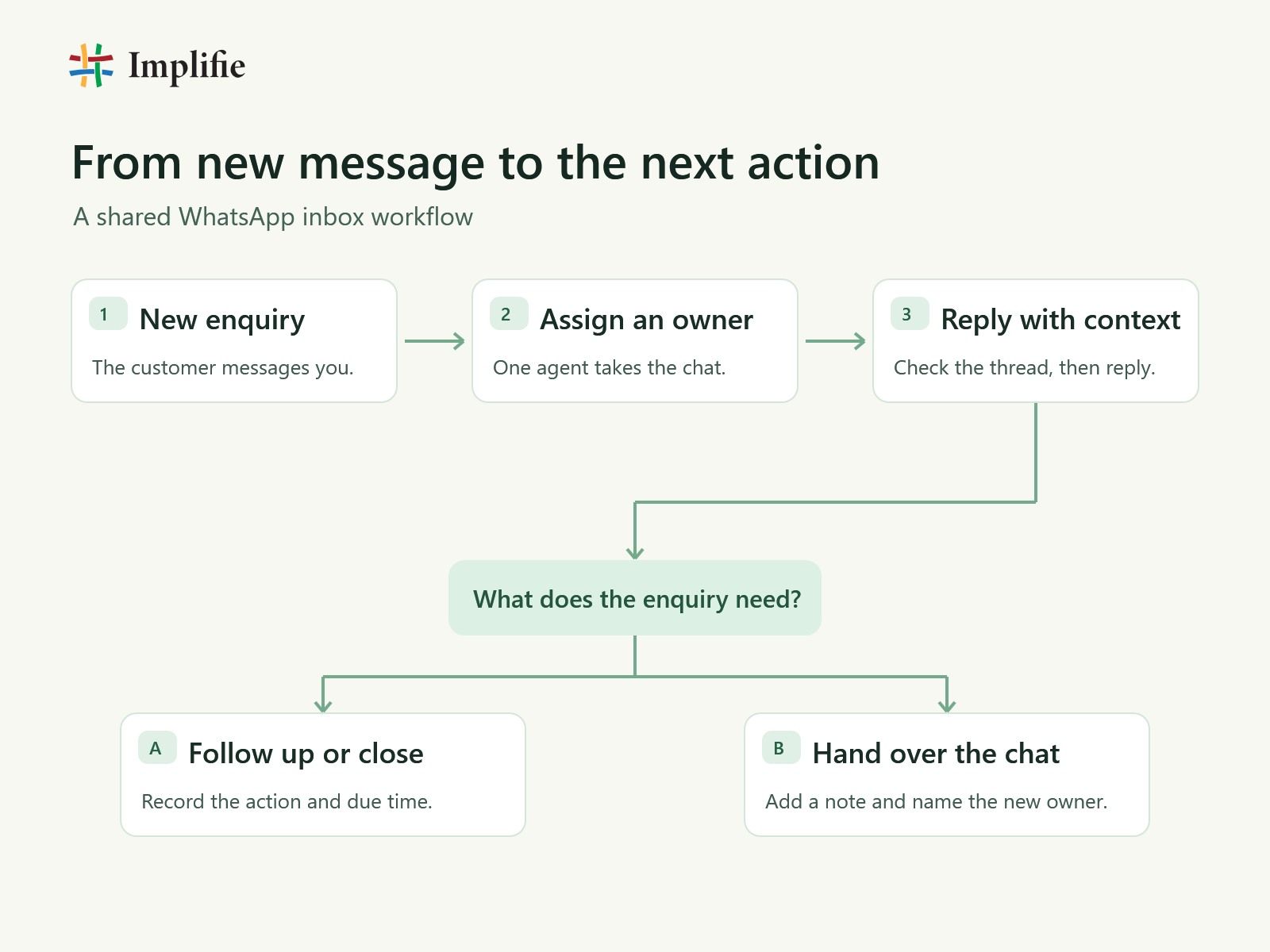
Give every enquiry an owner
Start with a simple rule your team can follow on a busy day. Assign or claim the chat before replying. Keep the current owner when an existing prospect comes back and that agent is available. For new enquiries, assign by project, branch or product if your team is organised that way. Small teams can have one person review the incoming queue and send chats to the next available agent.
Decide who covers breaks and shift changes. A person on duty can check the unassigned queue at set points during the day and pick up conversations when the owner is away. This matters most when a lead has been promised an answer by a specific time.
Write a handover someone can act on
“Please follow up” gives Rahul a name to look up and a thread to read. A note like “Gotri 2 BHK. Buyer asked for Saturday at 11. Check the site calendar and reply by 4 p.m. Send the pin if the slot is confirmed” gives him a task he can finish. Priya adds the note and reassigns the chat to Rahul. He checks the calendar and replies in the same thread.
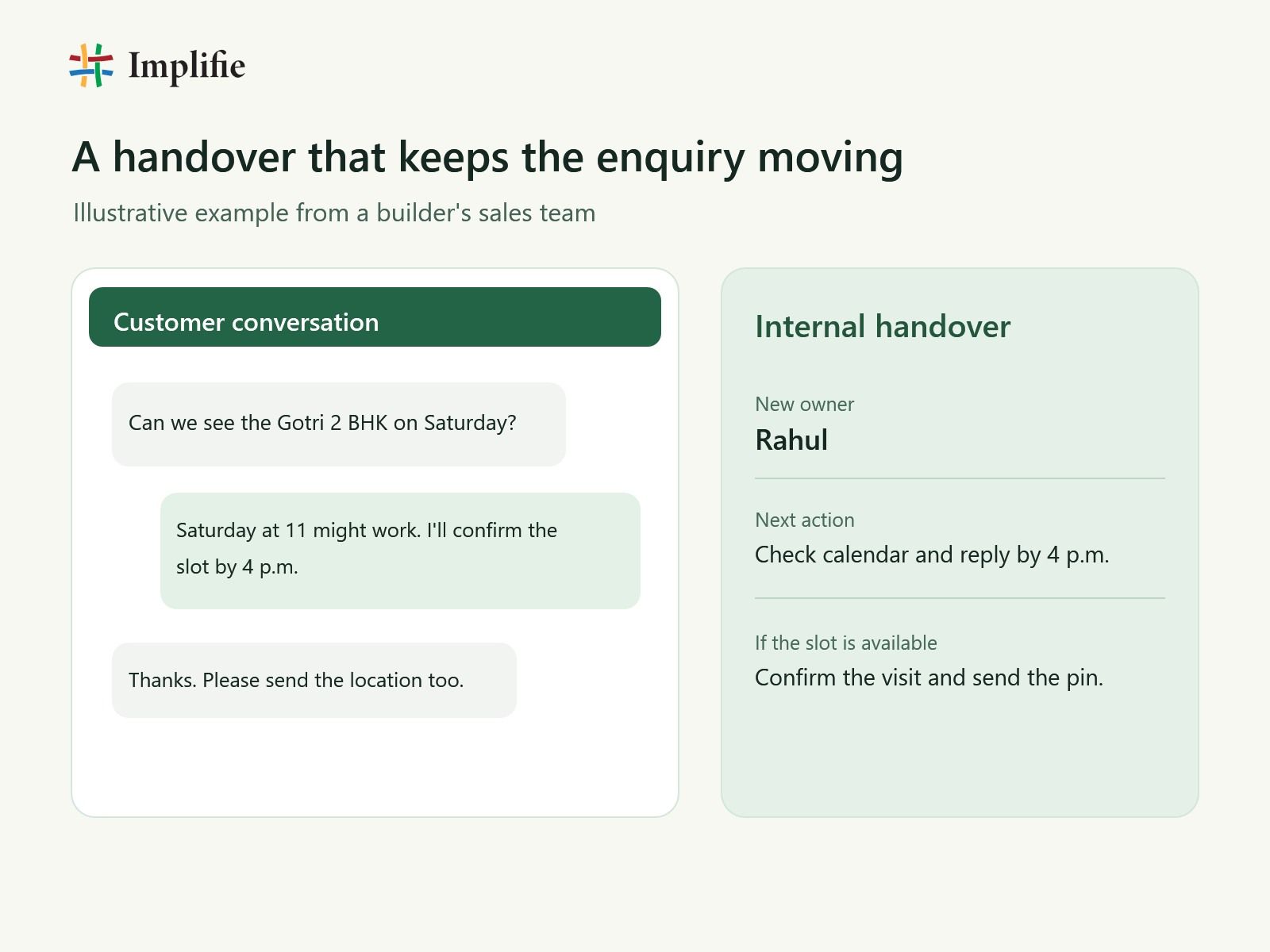
For real estate sales teams using WhatsApp, the same habit works for brochure requests, pricing checks and booking changes. Keep buyer preferences that will matter later, such as project, budget or preferred visit day, in the WhatsApp CRM so the next agent can find them quickly.
Route sales and support in the same thread
A new buyer asking about layouts or prices normally goes to sales. A customer asking to move a confirmed visit or find the entrance can go to the coordinator who handles those requests. If the reason is unclear, have one person check the incoming queue and assign the conversation. Customers can ask their next question in the same chat.
After Rahul books the Gotri viewing, the buyer asks which gate to use. Rahul adds a short note with the project and visit time and assigns the chat to the support coordinator. She checks the correct entrance and replies from the same number. Rahul can still own the sales follow-up in the CRM while the coordinator owns the current conversation.
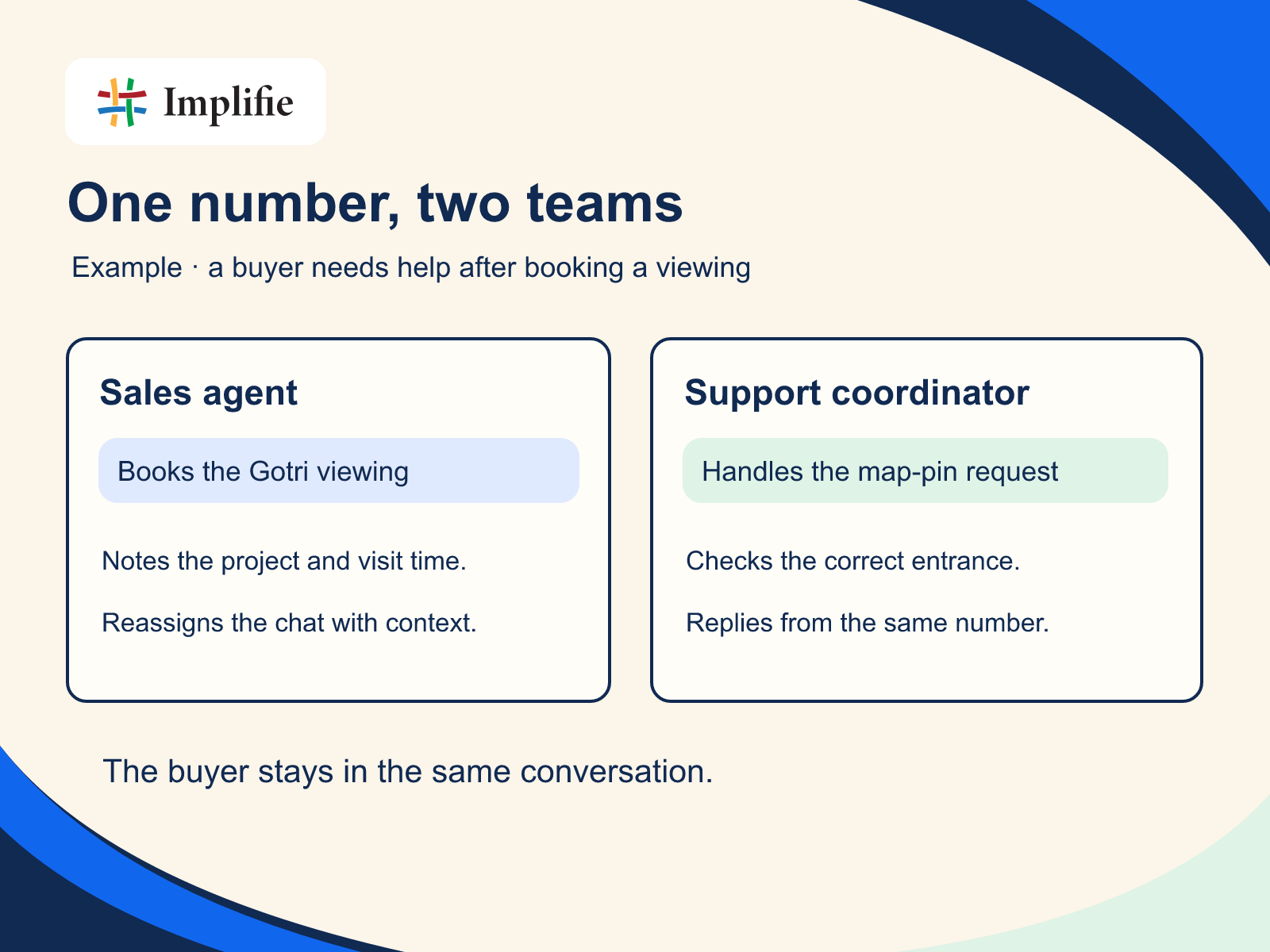
Use WhatsApp team collaboration tools to record the handoff and share an internal note. For a support queue, a named owner and a clear next action matter more than a long note. The WhatsApp customer support workflow can help the team keep replies and follow-ups together.
Make follow-ups visible
After each reply, agree on what should happen next. If the buyer needs to confirm a time, note when the owner should check back. If your team owes a quote or a floor plan, record who will send it and by when. Close the conversation once the request is handled and the next sales action is recorded, if there is one.
When the same follow-up happens repeatedly, use WhatsApp follow-up automation for the routine parts. Test what happens when the buyer replies, a colleague takes over or the visit time changes. An old reminder can create extra work if it goes out after an agent has already resolved the enquiry.
Try it on one queue first
Pick one queue, give each agent their own access and run three cases together. Send a new sales enquiry, ask a support question after booking, and hand a chat to another shift. Check which number the customer sees, who appears as the owner and whether the incoming agent can find the promised next step.
During the first week, track how long enquiries sit unassigned, how quickly an agent sends the first useful reply and how many promised follow-ups go overdue. Ten chats are enough for a quick team review. If several sat in the queue after lunch, fix lunch coverage before adding more routing rules. If you’re moving from a phone-based setup, check the differences between the WhatsApp Business App and API before changing how your number is connected.
Frequently asked questions
Can sales and support agents reply from one WhatsApp number?
Yes. In a shared inbox connected to your business WhatsApp number, agents can sign in to the same workspace with their own access. Customers see replies from the business number. Assigning one owner to each conversation tells the team who should reply next.
How do we stop two agents from replying to the same customer?
Have agents assign or claim the conversation before they reply. Ask colleagues to share input through internal notes and reassign the chat when someone else takes over. Give the queue a backup owner for breaks and shift changes.
Can we keep the WhatsApp number customers already use?
It depends on how the number is registered and what onboarding options your setup supports. Before switching, check whether you can keep using the Business App alongside the inbox, which conversation history will be available, and how you will test the handover before customers are affected.
Can sales keep ownership of a lead while support handles the chat?
Yes. Your team can record the sales owner in the CRM and assign the current conversation to the support agent who needs to reply. Leave a note that tells both teams what happens next.
