Spreadsheet-powered workflows

Connect Google Sheets with your WhatsApp workflow

Connect Google Sheets with Implifie to use spreadsheet rows in supported WhatsApp broadcasts and automation workflows while keeping mapping and consent under your control.

  • Native Google connection
  • Spreadsheet and field mapping
  • Broadcast and automation workflows
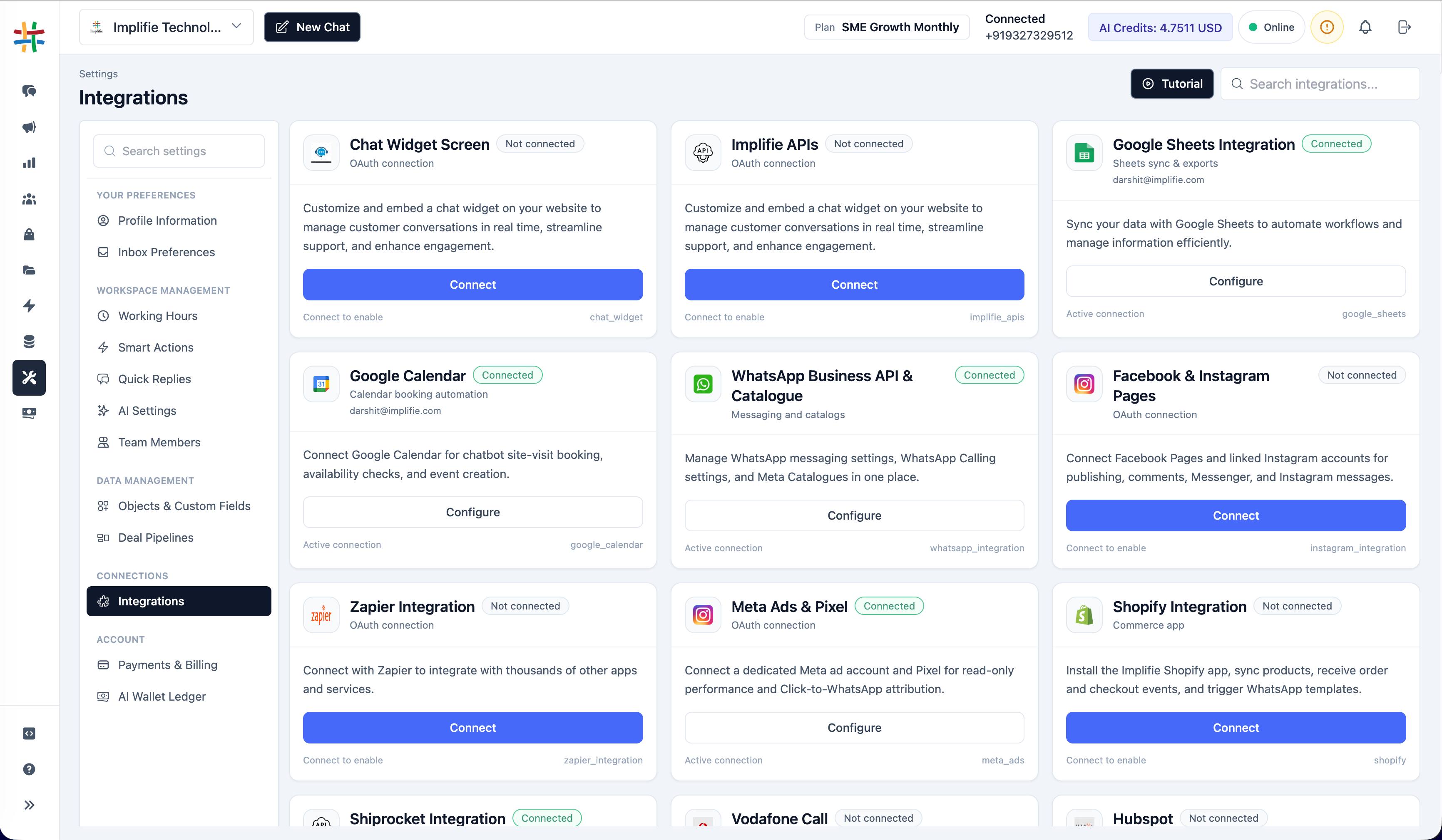
Google Sheets WhatsApp Integration in the Implifie integrations workspace
Why connect it

Coordinate Google Sheets and customer conversations

Use the integration for a defined operational outcome, with permissions, customer consent and exception handling reviewed before launch.

01

Use familiar operational data

Work with eligible spreadsheet data without manually rebuilding every audience or record.

02

Map fields deliberately

Choose the spreadsheet columns needed for recipients, variables and workflow context.

03

Keep workflows repeatable

Use a reviewed sheet structure for recurring campaigns or automation triggers.

One connected workspace

Configure the connection from the same platform your team uses for WhatsApp

Implifie keeps supported integrations close to conversation, automation and campaign workflows.

Availability, setup method and plan requirements differ by integration. Confirm the current configuration for your organization.

  • Native Google connection
  • Spreadsheet and field mapping
  • Broadcast and automation workflows
Implifie apps and integrations workspace showing supported integration cards and connection status controls
How it works

Plan and test the Google Sheets workflow

  1. 1

    Connect the Google account

    Authorize Google Sheets from the organization integrations area.

  2. 2

    Choose a spreadsheet

    Select the eligible sheet used by the supported broadcast or workflow.

  3. 3

    Map required columns

    Match phone numbers and relevant variables to the correct fields.

  4. 4

    Validate before sending

    Review consent, formatting, duplicates, mapped values and the final WhatsApp message.

Use cases

Start with a specific customer or team outcome

01

Campaign audiences

Prepare a reviewed recipient list for a supported WhatsApp broadcast.

02

Lead imports

Move qualified spreadsheet records into an operational workflow.

03

Personalized variables

Map approved spreadsheet values into eligible message placeholders.

04

Workflow triggers

Use supported Google Sheets trigger or action nodes in automation.

Questions

Google Sheets WhatsApp Integration FAQs

Does Implifie have a native Google Sheets connection?

Yes. The current product includes Google authorization, spreadsheet access and supported Sheets workflow nodes.

Can I send a WhatsApp broadcast from a spreadsheet?

Eligible sheets can support broadcast audience and field-mapping workflows. Consent and WhatsApp template rules still apply.

Which column format should phone numbers use?

Use a consistent international format and validate the selected recipient mapping before sending.

Does Implifie edit every spreadsheet automatically?

Only supported and explicitly configured trigger or action behavior should be expected. Test the selected workflow before production use.

How should spreadsheet access be managed?

Connect the minimum appropriate Google account, restrict spreadsheet access and remove connections that are no longer needed.

Plan the workflow

Connect Google Sheets with Implifie

Start with a focused use case, validate permissions and data mapping, and test the customer journey before production use.