

Launch conversations or campaigns
Run broadcasts, chatbot workflows, follow-ups, or customer support conversations through Implifie.

Track WhatsApp campaign performance, customer replies, chatbot activity, team conversations, and follow-up outcomes with Implifie’s WhatsApp analytics and reporting tools.

Monitor campaign activity such as sent, delivered, read, replied, failed, and follow-up status where available.
Understand which customers replied to campaigns, chatbot flows, reminders, or support messages.
See how customers move through chatbot workflows, forms, qualification flows, and handoff points.
Monitor campaign activity such as sent, delivered, read, replied, failed, and follow-up status where available.
Understand which customers replied to campaigns, chatbot flows, reminders, or support messages.
See how customers move through chatbot workflows, forms, qualification flows, and handoff points.
Track conversations, assignments, response activity, and team follow-up visibility.
Implifie helps teams understand WhatsApp campaign performance, customer replies, and follow-up activity from one connected platform.
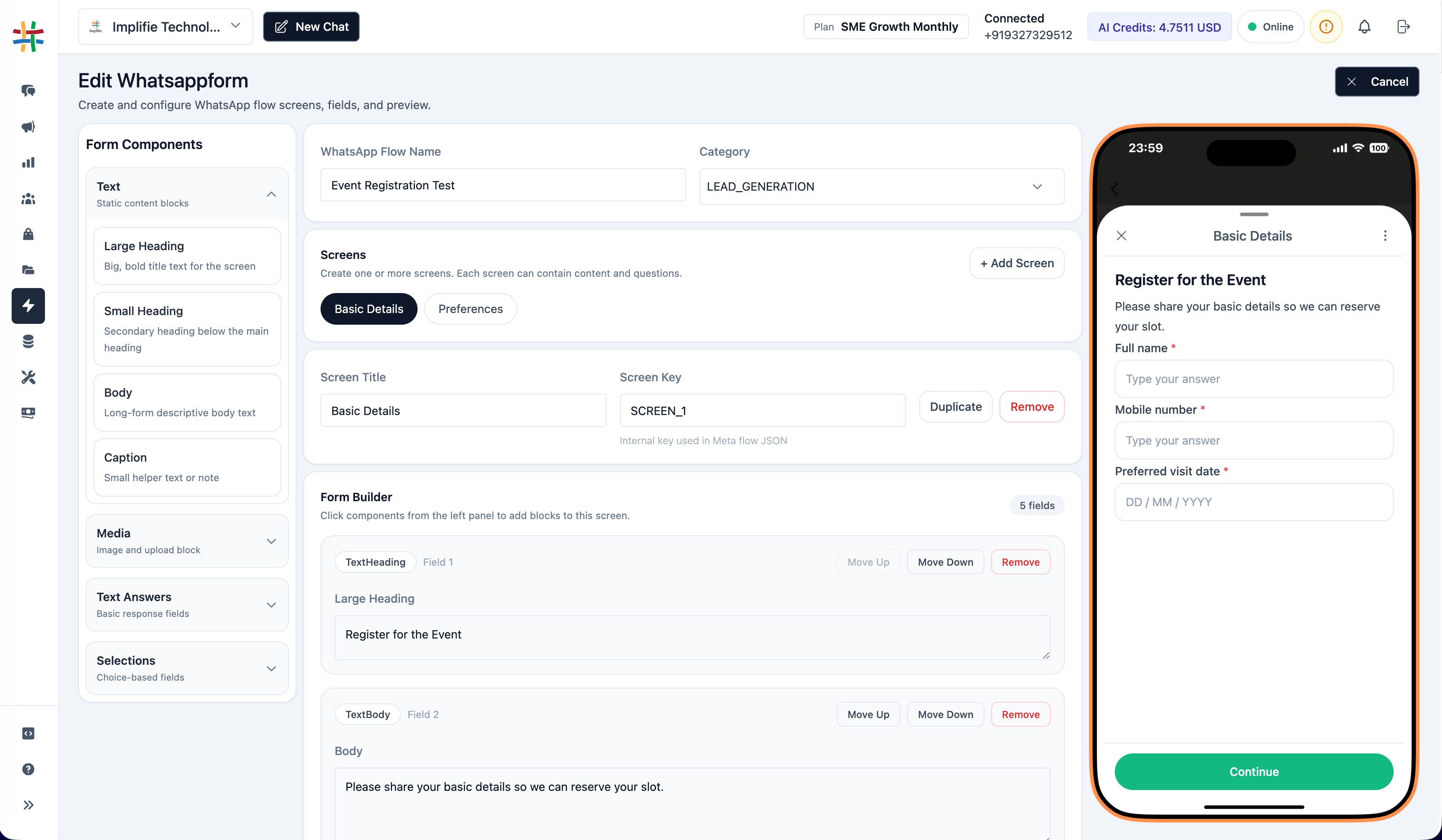
Track activity from campaigns, conversations, chatbot workflows, and follow-ups so your team can improve customer engagement.
Run broadcasts, chatbot workflows, follow-ups, or customer support conversations through Implifie.
Review customer engagement, replies, delivery events, failed messages, and follow-up activity where available.
Use analytics to improve templates, campaigns, response speed, chatbot flows, and sales follow-ups.
Implifie helps connect WhatsApp reporting with CRM, campaigns, sheets, automation workflows, and customer activity tracking.
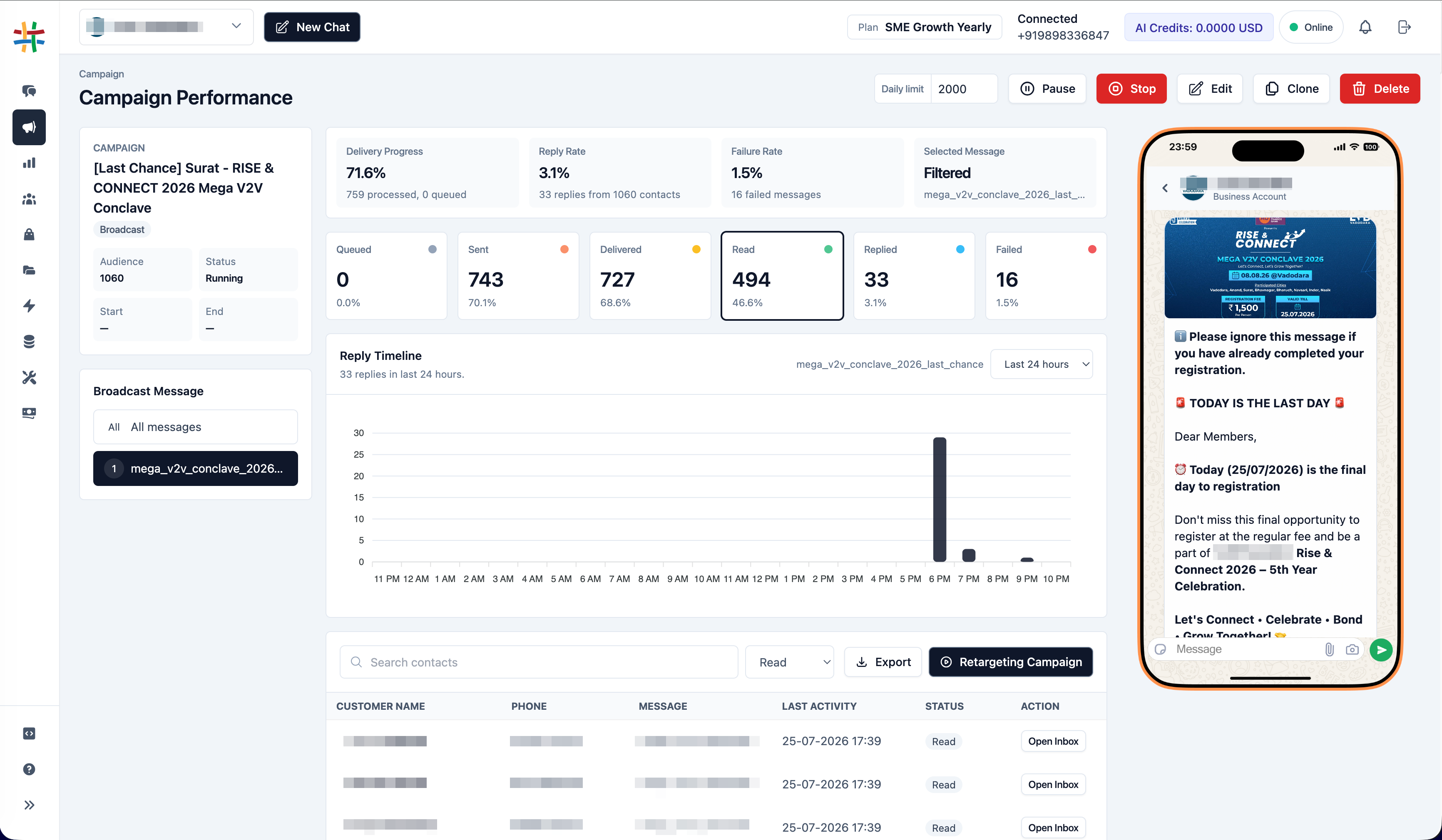
Many businesses send WhatsApp campaigns, answer customer chats, and run follow-ups without knowing what is working. Teams struggle to understand which broadcasts got replies, which conversations need attention, which chatbot flows are completing, and where leads are getting stuck. Implifie helps your team track WhatsApp activity so you can improve campaigns, response speed, follow-ups, and customer engagement.
Explore WhatsApp analytics, campaign reports, shared inbox, CRM activity, chatbot workflows, and follow-up tracking with Implifie.
Use this section for real proof later. Until then, show reporting use cases such as campaign tracking, reply visibility, lead follow-ups, chatbot completion, team workload, and customer engagement insights.
“ Implifie helps teams understand WhatsApp campaign performance, customer replies, and follow-up activity from one connected platform. ”
WhatsApp analytics helps businesses track campaign activity, customer replies, chatbot flows, team conversations, and follow-up performance across WhatsApp Business API workflows.
Yes. Implifie can help track campaign activity such as sent, delivered, read, replied, failed, and follow-up status where message events are available.
Yes. Implifie helps teams understand which customers replied to broadcasts, templates, chatbot flows, and support conversations.
Implifie can help teams review chatbot activity, completion, customer responses, and handoff points depending on the workflow setup.
Yes. Implifie can connect WhatsApp conversations with CRM and follow-up workflows so teams can understand lead and customer activity better.
Tell us what you want to track across WhatsApp campaigns, conversations, and follow-ups. We’ll help you understand how Implifie can improve reporting visibility.