

Build flows without coding
Create WhatsApp chatbot workflows using triggers, questions, conditions, actions, and handoffs.

Build WhatsApp chatbot workflows for lead capture, FAQs, appointment booking, customer support, and human handoff — without writing code.
Implifie helps teams create WhatsApp chatbot workflows that ask questions, collect customer details, qualify leads, answer FAQs, and route conversations to humans when needed.
Create WhatsApp chatbot workflows using triggers, questions, conditions, actions, and handoffs.
Ask questions about requirement, budget, location, service need, or appointment preference.
Automate common replies for pricing, product details, service information, timings, and support queries.
Store customer replies, tags, notes, and contact details inside Implifie or connected tools.
Many businesses answer the same questions again and again on WhatsApp. Teams manually ask for customer details, repeat pricing information, and forget to follow up. Implifie helps you automate these repetitive conversations with no-code WhatsApp chatbot workflows while keeping your team in control.
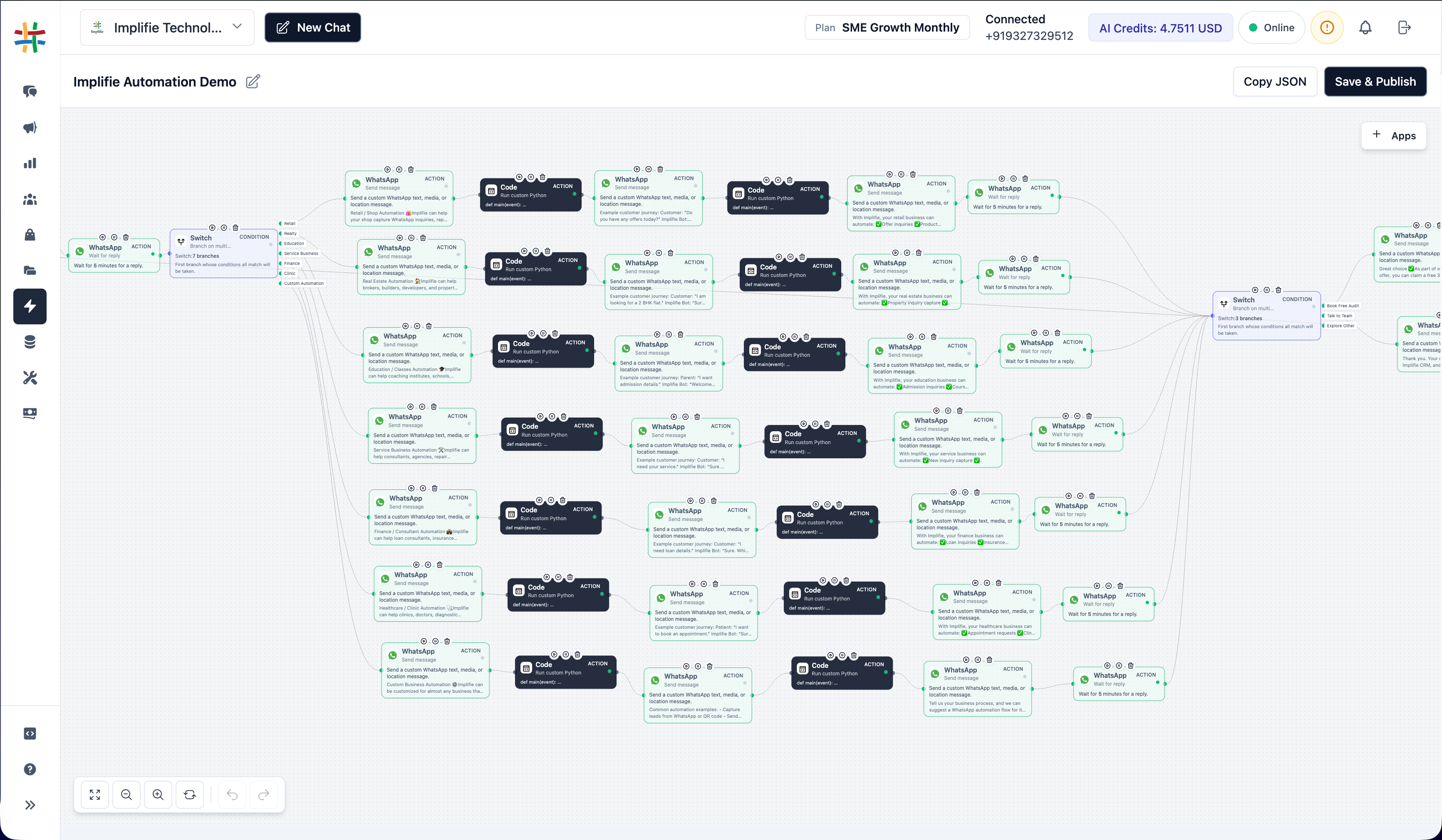
Use chatbot responses to update CRM records, Google Sheets, calendars, webhooks, and internal workflows.
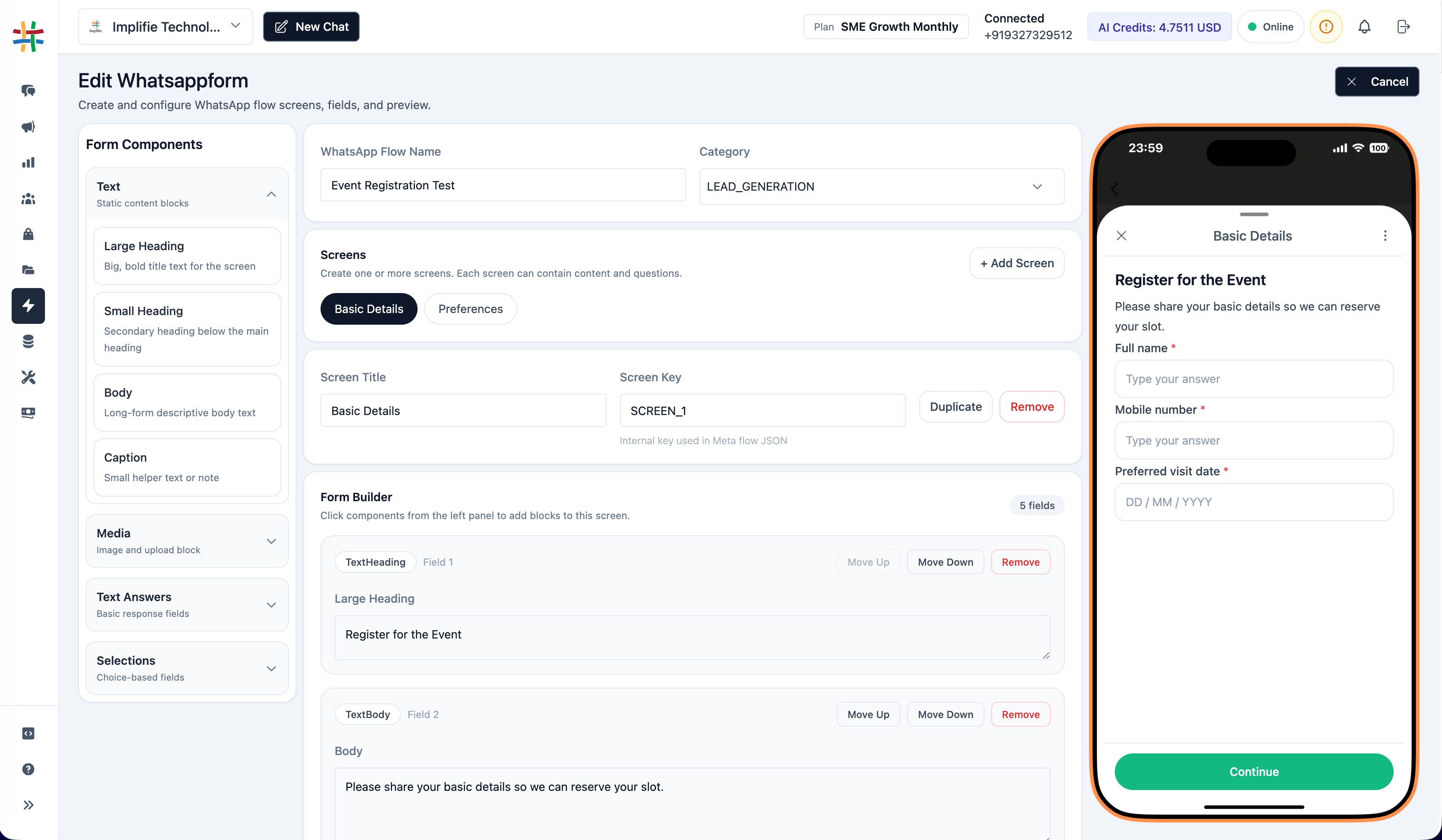
Use Implifie to build chatbot journeys that capture leads, qualify enquiries, answer common questions, save customer details, and hand over important conversations to your team.
Create WhatsApp chatbot workflows using triggers, questions, conditions, actions, and handoffs.
Ask questions about requirement, budget, location, service need, or appointment preference.
Automate common replies for pricing, product details, service information, timings, and support queries.
Store customer replies, tags, notes, and contact details inside Implifie or connected tools.
Continue the customer journey with reminders, template messages, CRM updates, or team notifications.
Let automation handle repetitive steps and route important conversations to your team.
Use Implifie’s WhatsApp chatbot builder to create lead capture flows, FAQ journeys, booking workflows, feedback collection, and customer support automation without writing code.
Explore chatbot workflows, shared inbox, CRM, broadcasts, AI reply suggestions, and integrations before choosing a paid plan.
Use this section for real testimonials later. Until then, show chatbot use cases such as lead qualification, FAQ automation, booking flows, support triage, and human handoff.
“ Implifie helps teams create WhatsApp chatbot workflows for lead capture, FAQs, and follow-ups without coding. ”
A WhatsApp chatbot builder helps businesses create automated WhatsApp conversation flows for lead capture, FAQs, appointment booking, support, and follow-ups.
Yes. Implifie supports no-code chatbot workflows using triggers, questions, conditions, actions, and human handoff.
Yes. The chatbot can ask qualification questions and save customer responses for your sales team.
Yes. Implifie can route important conversations to your team with customer context.
Yes. Implifie is built for businesses using WhatsApp Business API.
Your chatbot can collect details, answer common questions, and qualify customers. When a customer needs personal attention, Implifie can route the conversation to your team with full context.