Connect custom systems

Connect custom systems with your WhatsApp workflow

Connect custom systems with Implifie using supported webhook triggers, HTTP actions and API workflows for event-driven WhatsApp automation and data exchange.

  • Webhook-triggered workflows
  • HTTP request actions
  • Custom system connectivity
Secure API requests flowing through webhook nodes into a messaging automation workflow
Why connect it

Coordinate WhatsApp Webhooks and API Integration and customer conversations

Use the integration for a defined operational outcome, with permissions, customer consent and exception handling reviewed before launch.

01

React to external events

Start eligible workflows when a reviewed system sends data to a generated webhook endpoint.

02

Send data to your tools

Use supported HTTP actions to call controlled external endpoints.

03

Map payload fields

Inspect received fields and map only the data needed by later workflow steps.

One connected workspace

Configure the connection from the same platform your team uses for WhatsApp

Implifie keeps supported integrations close to conversation, automation and campaign workflows.

Availability, setup method and plan requirements differ by integration. Confirm the current configuration for your organization.

  • Webhook-triggered workflows
  • HTTP request actions
  • Custom system connectivity
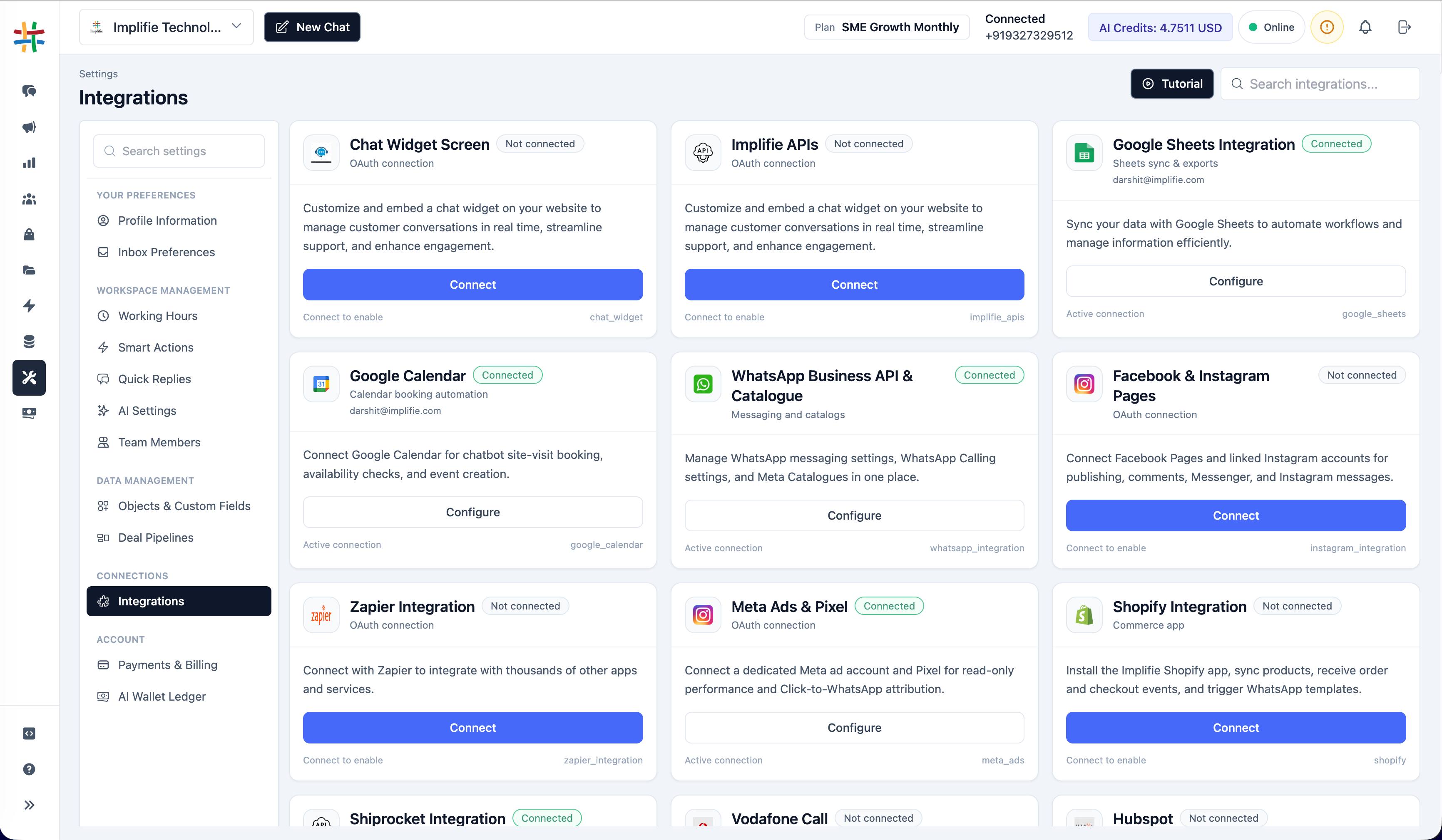
Implifie apps and integrations workspace showing supported integration cards and connection status controls
How it works

Plan and test the WhatsApp Webhooks and API Integration workflow

  1. 1

    Define the event

    Document the source system, event, expected payload and customer outcome.

  2. 2

    Create the endpoint or action

    Generate the supported webhook URL or configure an authenticated HTTP request node.

  3. 3

    Map and validate data

    Review payload fields, phone formats, identifiers and message variables.

  4. 4

    Secure and monitor

    Protect credentials, validate requests where supported and monitor failures and retries.

Use cases

Start with a specific customer or team outcome

01

Lead events

Start a WhatsApp workflow after a qualified event from a website or business system.

02

Order and service updates

Use reviewed external events to drive relevant customer notifications.

03

Custom CRM actions

Exchange selected customer or workflow data with an internal CRM.

04

Sequence audiences

Use a generated webhook endpoint as an eligible source for a drip campaign.

Questions

WhatsApp Webhooks and API Integration FAQs

Can Implifie receive webhook data?

Yes. Current workflows include webhook triggers and generated webhook URLs for supported automation and sequence use cases.

Can Implifie call an external API?

Supported HTTP request actions can call configured endpoints from an automation workflow.

Are webhooks available on every plan?

Plan availability can vary; the current application marks webhook access as an enterprise capability.

How should webhook credentials be stored?

Use organization-controlled secrets and headers, grant the minimum access required and never place private credentials in public page content.

What should be tested before launch?

Test authentication, payload validation, field mapping, idempotency, timeouts, retries, error handling and customer consent.

Plan the workflow

Connect WhatsApp Webhooks and API Integration with Implifie

Start with a focused use case, validate permissions and data mapping, and test the customer journey before production use.