

Manage customer conversations
View every WhatsApp chat with customer context so your team can respond faster and follow up better.

Use Implifie as your WhatsApp CRM to capture leads, manage contacts, track customer conversations, assign chats, automate follow-ups, and connect WhatsApp with your sales and support workflows.

Implifie helps teams organize WhatsApp conversations, contacts, lead details, follow-ups, tags, notes, assignments, and CRM activity from one connected platform.
Use Implifie to capture WhatsApp leads, organize contacts, assign conversations, automate follow-ups, and keep your team aligned with complete customer context.
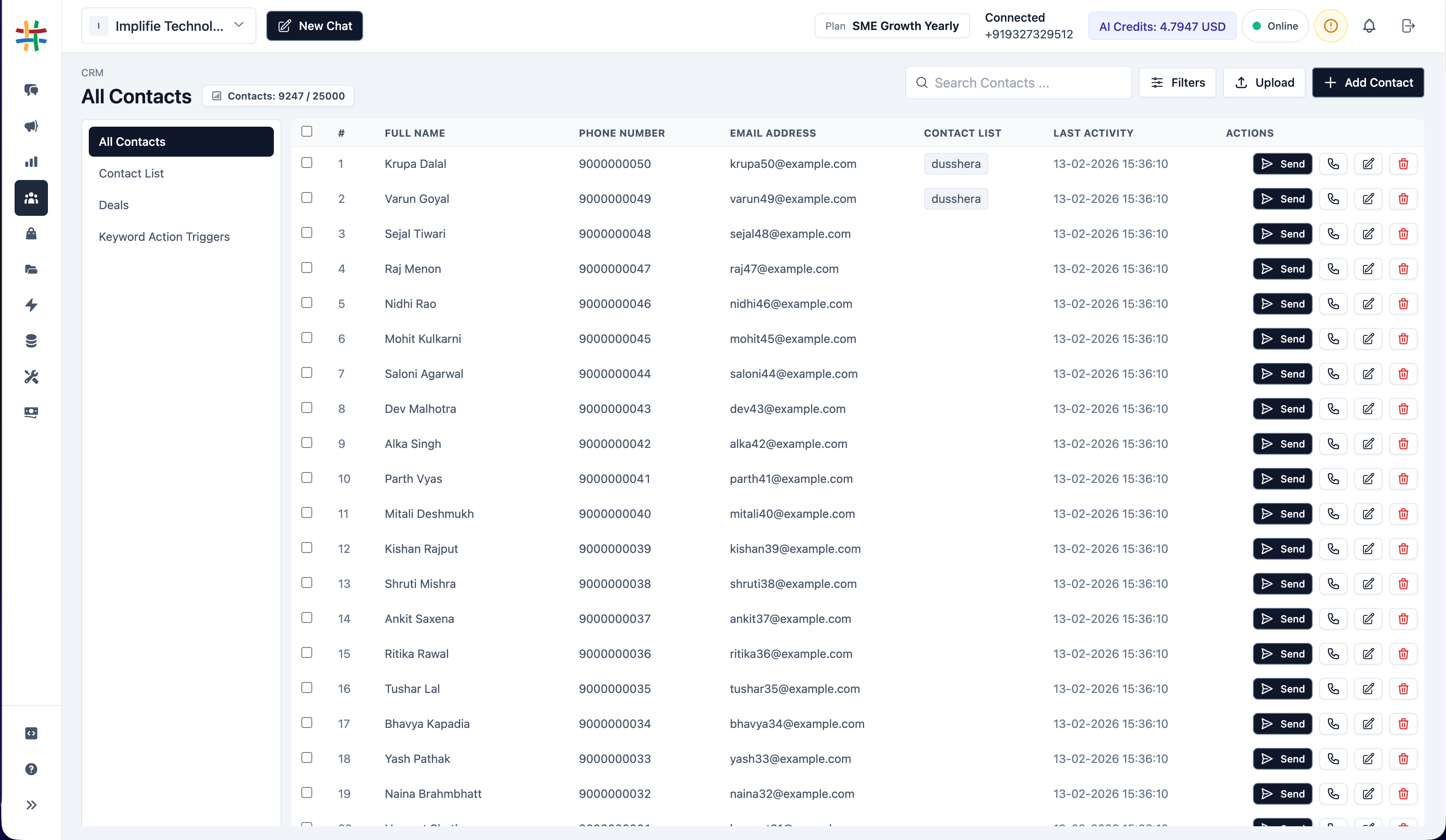
Save new WhatsApp enquiries as contacts and leads with customer details, tags, lists, and conversation history.
Learn moreView every WhatsApp chat with customer context so your team can respond faster and follow up better.
Route conversations to the right sales or support person and avoid confusion inside busy WhatsApp inboxes.
Keep track of lead status, customer interest, follow-up priority, source, industry, and team notes.
Many businesses receive enquiries, quotations, support requests, and follow-up replies on WhatsApp. But when conversations stay inside personal phones or scattered inboxes, teams lose context, miss follow-ups, and struggle to understand which leads are active.
Implifie helps your team move from scattered WhatsApp chats to an organized CRM workflow.
New WhatsApp enquiries are saved with customer details, source, tags, and conversation context.
Organize contacts based on interest, priority, industry, campaign, or sales stage.
Send conversations to the right team member and schedule the next customer touchpoint.
Trigger follow-up messages, CRM updates, or workflow actions based on customer replies.
Explore Implifie with your team and test WhatsApp CRM, shared inbox, contact management, lead follow-ups, broadcasts, chatbot workflows, and integrations.
Use this section for real customer proof later. Until then, show practical use cases such as lead tracking, sales follow-ups, support history, customer tagging, and CRM-connected WhatsApp workflows.
Implifie connects WhatsApp conversations with CRM, spreadsheets, calendars, websites, and workflow automation tools.
WhatsApp CRM helps businesses organize WhatsApp leads, contacts, conversations, notes, tags, assignments, and follow-ups in one structured system.
Implifie connects WhatsApp conversations with contact management, shared inbox, team assignment, broadcasts, chatbot workflows, AI reply suggestions, and integrations.
Yes. Implifie helps capture customer details, manage leads, add tags, create lists, view conversation history, and continue follow-ups.
Yes. Team members can manage customer conversations from a shared inbox and assign chats to the right sales or support agent.
Yes. Implifie can support integrations with Zoho CRM, Google Sheets, Google Calendar, Webhooks, Odoo, and other tools depending on setup.
Yes. WhatsApp CRM is useful for small and growing businesses that receive leads, enquiries, bookings, support questions, or follow-up replies on WhatsApp.
Tell us how your team currently manages WhatsApp leads and customer conversations. We’ll help you understand how Implifie can improve CRM visibility, team follow-ups, and sales workflows.