

Capture lead details
Collect name, phone, requirement, budget, location, and other customer information.

Collect structured customer responses through WhatsApp for enquiries, bookings, feedback, support requests, lead qualification, and follow-up workflows.
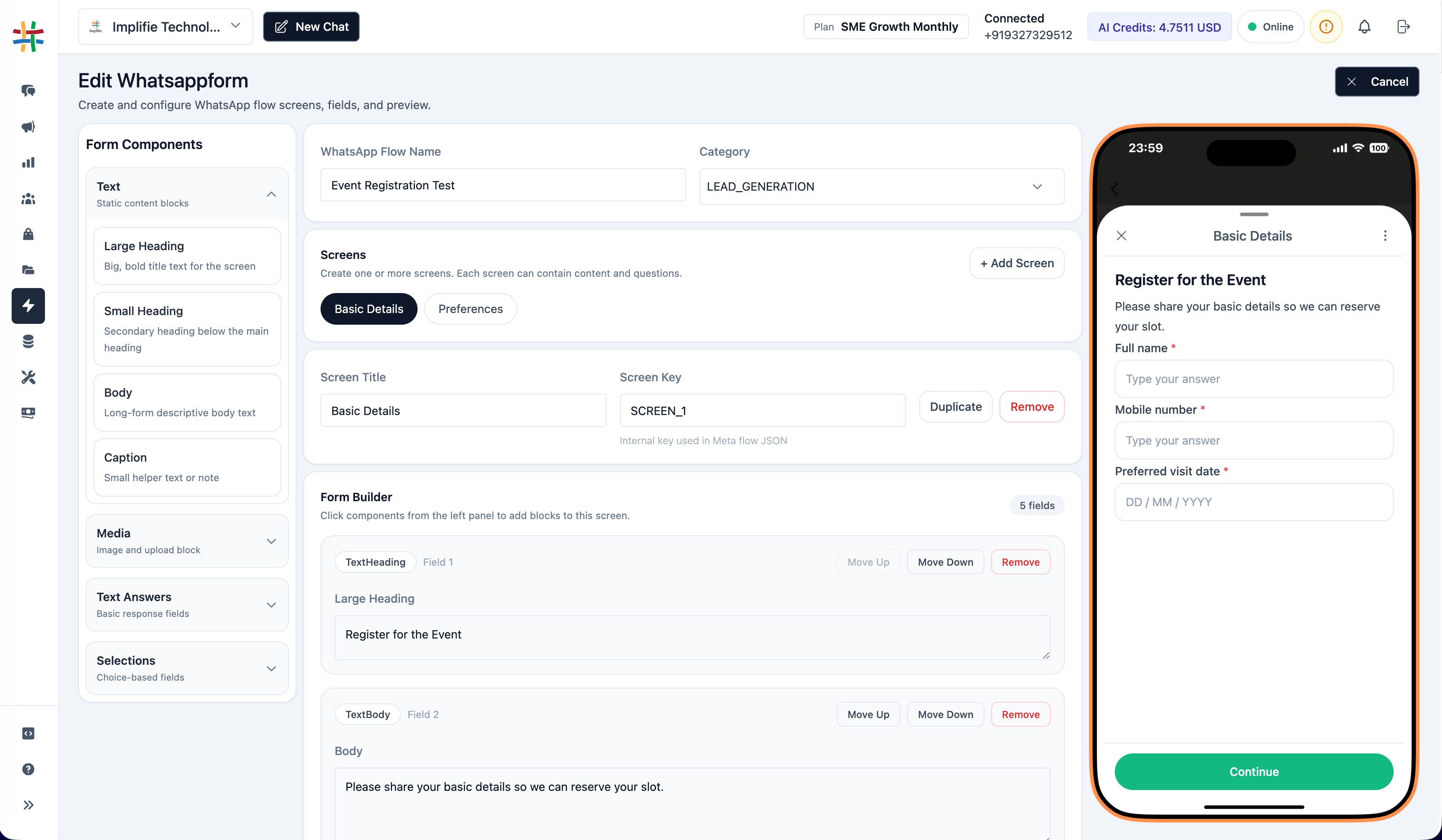
Implifie helps businesses collect structured information from WhatsApp conversations and use it for CRM, support, bookings, feedback, and follow-ups.
Collect name, phone, requirement, budget, location, and other customer information.
Ask customers for ratings, comments, satisfaction responses, or service feedback.
Use forms for appointment requests, consultation details, service needs, and booking preferences.
Store form responses with customer profiles, tags, notes, and conversation history.
Businesses often ask customers for the same details manually on WhatsApp. This creates long chats, missed information, and messy records. Implifie helps collect structured responses so your team can save customer data and continue the workflow faster.
Use customer responses to update CRM, Google Sheets, calendars, webhooks, and automation workflows.
Collect lead details, booking information, feedback, support data, and customer preferences directly through WhatsApp workflows.
Collect name, phone, requirement, budget, location, and other customer information.
Ask customers for ratings, comments, satisfaction responses, or service feedback.
Use forms for appointment requests, consultation details, service needs, and booking preferences.
Store form responses with customer profiles, tags, notes, and conversation history.
Connect responses with Google Sheets, CRM tools, webhooks, or internal systems.
Use submitted responses to trigger team notifications, messages, reminders, or workflow actions.
Instead of manually copying details from chats, use WhatsApp Forms to collect customer information in a structured format and save it for your team.
Explore WhatsApp Forms, CRM capture, shared inbox, chatbot workflows, Google Sheets integration, and follow-up automation.
Use this section for real proof later. Until then, show use cases such as lead forms, feedback collection, support intake, appointment requests, and customer surveys.
“ Implifie helps teams collect structured customer responses on WhatsApp and use them for CRM, support, and follow-ups. ”
WhatsApp Forms help businesses collect structured customer responses such as lead details, feedback, support information, and booking preferences through WhatsApp.
Yes. Implifie can help collect customer details such as name, phone, requirement, location, and other lead information.
Yes. Responses can be linked with customer profiles and workflows depending on your setup.
Yes. Implifie can support Google Sheets integration for WhatsApp form responses.
Yes. Form submissions can be used to trigger notifications, reminders, templates, or workflow actions.
Use forms for customer feedback, support triage, booking information, product enquiries, appointment requests, and post-service follow-ups.