Website lead workflows

Connect WordPress with your WhatsApp workflow

Connect WordPress enquiries with Implifie using click-to-chat links, forms, chat widgets or supported webhook/API workflows, then qualify and route leads on WhatsApp.

  • Click-to-chat and QR entry points
  • Website form or webhook patterns
  • WhatsApp qualification and routing
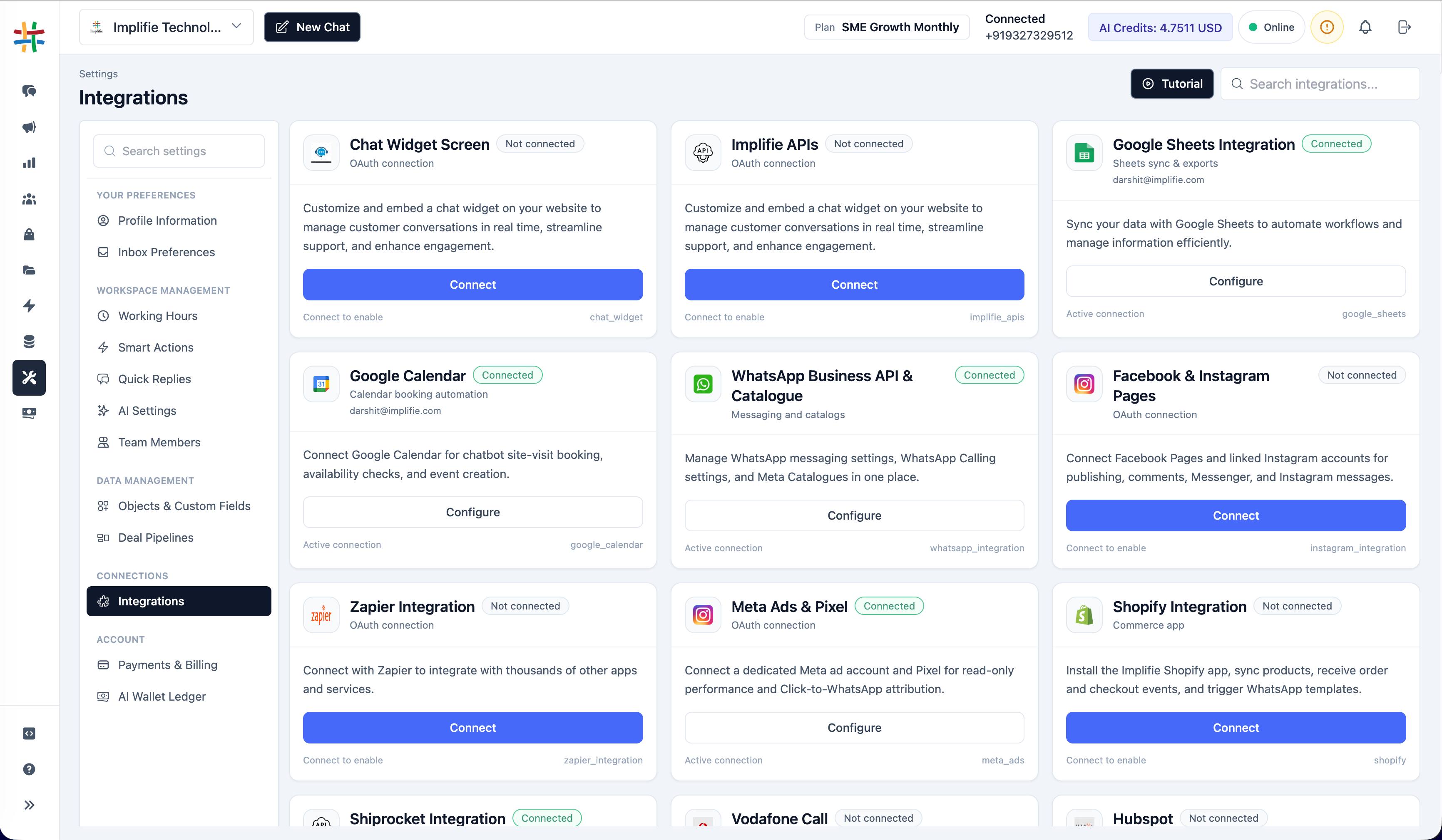
WordPress WhatsApp Integration in the Implifie integrations workspace
Why connect it

Coordinate WordPress and customer conversations

Use the integration for a defined operational outcome, with permissions, customer consent and exception handling reviewed before launch.

01

Turn visits into conversations

Give visitors a clear WhatsApp entry point from relevant WordPress pages.

02

Preserve source context

Use deliberate campaign and form fields so the team understands where an enquiry began.

03

Automate the first response

Qualify eligible enquiries before assigning the conversation to the right person.

One connected workspace

Configure the connection from the same platform your team uses for WhatsApp

Implifie keeps supported integrations close to conversation, automation and campaign workflows.

Availability, setup method and plan requirements differ by integration. Confirm the current configuration for your organization.

  • Click-to-chat and QR entry points
  • Website form or webhook patterns
  • WhatsApp qualification and routing
Implifie apps and integrations workspace showing supported integration cards and connection status controls
How it works

Plan and test the WordPress workflow

  1. 1

    Choose the website entry point

    Use a click-to-chat link, generated widget, form or supported webhook pattern.

  2. 2

    Add it to WordPress

    Install the reviewed code or configure the relevant form tool without exposing private credentials.

  3. 3

    Configure the WhatsApp workflow

    Set the welcome, qualification, routing and fallback behavior in Implifie.

  4. 4

    Test on real devices

    Check mobile and desktop behavior, consent language, source tracking and team handoff.

Use cases

Start with a specific customer or team outcome

01

Contact pages

Let visitors begin a WhatsApp enquiry with useful prefilled context.

02

Landing pages

Connect campaign-specific pages to a qualified WhatsApp workflow.

03

Lead forms

Pass eligible form submissions through a supported webhook/API pattern.

04

Support entry points

Offer a clear chat route while preserving escalation to a human team.

Questions

WordPress WhatsApp Integration FAQs

Does WordPress require a native Implifie plugin?

No native plugin is required for click-to-chat links or generated widget code. Advanced form automation can use a supported webhook/API pattern.

Can I add a WhatsApp widget without coding?

Implifie's widget generator provides embeddable output, though adding it to WordPress may require a block, theme area or tag manager.

Can a WordPress form start an automation?

A compatible form or connector can send reviewed data to a supported webhook/API workflow.

Will the integration identify the source page?

Use explicit source fields or UTM parameters and test that the required context reaches the intended workflow.

What privacy information should the page show?

Explain what data is collected, why WhatsApp is used, and link to the applicable privacy notice and consent language.

Plan the workflow

Connect WordPress with Implifie

Start with a focused use case, validate permissions and data mapping, and test the customer journey before production use.