


A buyer asks about a 2 BHK in Gotri on Monday, changes the budget on Wednesday and wants a Saturday site visit. If those details sit in different agents’ chats, someone has to piece the enquiry together before the next useful reply. A WhatsApp CRM for real estate keeps the conversation, buyer requirements, property interests and next action together, so the team can move the enquiry forward with context.
The useful part is what happens between the first message and the viewing: asking the right questions, sharing suitable property information, assigning an owner and confirming the visit accurately. This guide explains that process for brokers, developers and property sales teams, including the checks that automation needs and the decisions an agent should make. Start with one project and a workable handover before expanding to more campaigns or inventory.
What should a WhatsApp CRM for real estate actually do?
A useful customer relationship management (CRM) setup should let an agent answer three questions quickly: what does this buyer need, what have we already discussed, and what happens next? WhatsApp CRM records can bring lead details and conversation context into one working process. Your team still needs to agree which fields matter, who maintains property information and how an enquiry moves from a new lead to a visit request. Buying software does not settle those operating decisions for you.
For example, one buyer might enquire about two projects while speaking to the same agency. Keep one contact record with separate property interests instead of treating each message as an unrelated lead. When the buyer revises a preference, retain the useful history and make the latest requirement clear. The next agent should be able to continue the discussion without asking the buyer to repeat everything or sending a brochure they have already rejected.
Property lead qualification: ask enough to recommend well
Qualify an enquiry by collecting the few details that change your recommendation. Introduce the business, explain that you are gathering requirements and ask one question at a time. A WhatsApp chatbot workflow can guide those questions where configured, while an agent handles uncertainty or a request to speak to someone. Keep approximate answers and “not sure yet” available; forcing a precise budget or purchase date can turn an otherwise useful conversation into an obstacle.
- Buyer budget: Ask for a comfortable range and clarify whether registration and other charges are included.
- Preferred location: Record the neighbourhood or project, plus nearby areas the buyer would consider.
- Property type: Capture apartment, villa, plot or commercial space, along with the required configuration.
- Buying timeline: Ask when the buyer hopes to purchase and whether ready-to-move or under-construction property suits them.
- Purchase purpose: Record self-use or investment when it changes the recommendation, without making it an unnecessary hurdle.
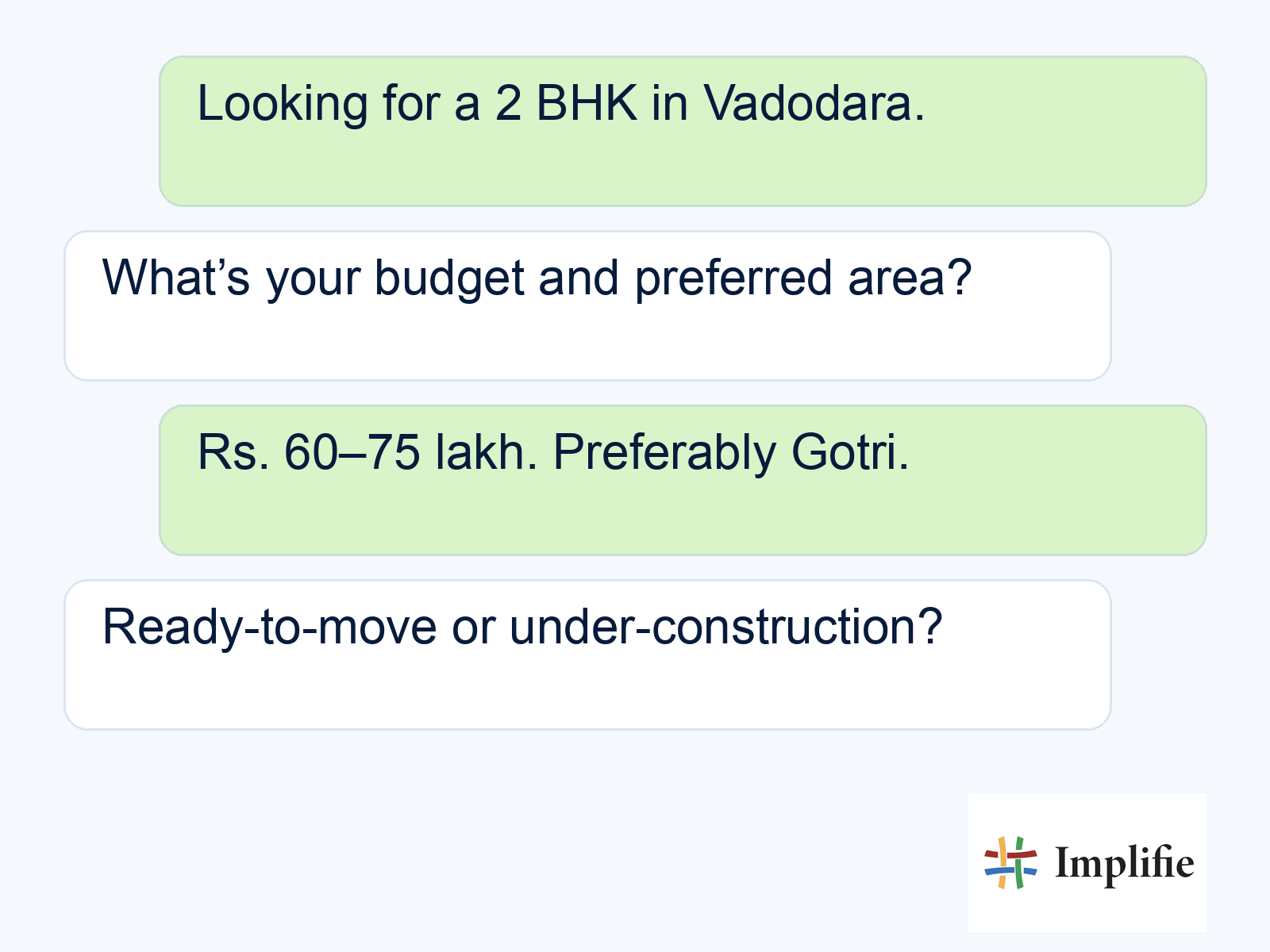
Consider a buyer looking for a 2 BHK in Vadodara with a budget of ₹60–75 lakh. Gotri may be the first choice, but a ready-to-move property nearby could also work. Save that flexibility rather than filtering only by the first location mentioned. The sample conversation below shows the opening exchange; the workflow should then collect the remaining details, save partial answers if the buyer leaves and offer a relevant next step when there is a suitable match.
WhatsApp site visit booking: confirm the right things
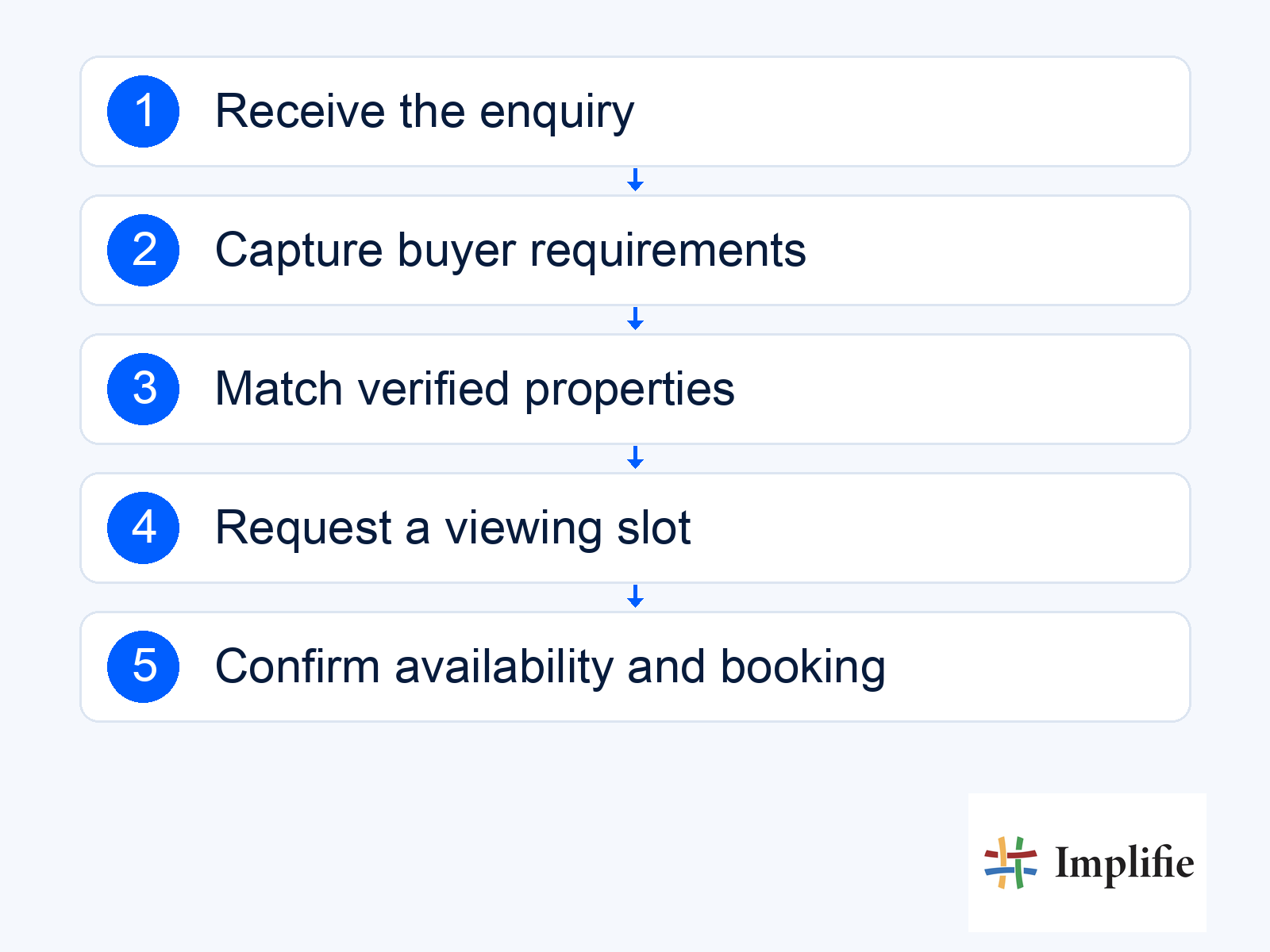
A site visit should be confirmed only after the property information, viewing slot and responsible agent have been checked. Sharing a calendar link or collecting a preferred time is not the same as completing a booking. If you connect Google Calendar with your WhatsApp workflow, test the actual availability check and booking action before relying on it. A free slot does not prove that a unit is still available, so inventory and appointment availability need separate checks.
- Match the requirement: Use current inventory to select properties that fit the buyer’s budget, location, configuration and possession preference.
- Share relevant material: Send the matching floor plan or brochure with the project name and enough context to identify the option. Use verified pricing and area details.
- Check interest: Ask whether the option suits the buyer and record concerns before proposing a viewing.
- Request a suitable slot: Collect the preferred time and check site visiting hours, agent availability and any required approval.
- Confirm the visit: After the booking succeeds, save it against the enquiry and send the location, meeting point, time and contact person.
Keep “visit requested” separate from “visit confirmed”. If a calendar connection fails or someone needs to approve the slot, tell the buyer what is pending and who will follow up. Likewise, pause a recommendation when inventory is stale or pricing needs confirmation. Negotiated terms, possession commitments and unresolved legal questions belong with a person who can verify them. This makes the handover useful and prevents a confident automated reply from creating an appointment your team cannot honour.
Real estate lead follow-up needs a clear owner
Assign a person to each active enquiry and give them a visible next action. A shared WhatsApp inbox helps colleagues work from the same conversation history, but ownership rules still need to be explicit. Decide who handles a new enquiry, who covers an absent agent and what happens when a buyer changes projects. A handover should carry the latest requirements, material already shared, appointment status and the specific decision that needs attention.
Use stage-based follow-up automation to support that process rather than sending every buyer the same sequence. Someone waiting for a floor plan needs a different next step from someone who missed a viewing. Before a reminder goes out, check whether the buyer replied, changed the appointment, purchased or opted out. A reminder should stop when its reason no longer applies. Review the following controls with the people who will use the workflow each day.
- Record matching: Find an existing contact before creating a new one, and keep separate property interests under that buyer.
- Handover context: Pass the conversation and pending decision to the new owner; make sure the previous owner’s tasks are updated.
- Follow-up controls: Link the next message or task to the current stage, with stop rules for replies, changed requirements and opt-outs.
Business App or API: which fits your property team?
Choose the WhatsApp Business App when one person or a small team can manage enquiries and appointments manually. Consider the WhatsApp Business application programming interface (API) when you need a connected inbox, repeatable qualification and coordinated handovers. The Business Platform/API connection is the messaging foundation; your chosen workspace and configured integrations provide the agent experience and booking workflow. Compare the work your team needs to do, rather than assuming the API includes every CRM function by itself.
| Need | Business App | Business Platform/API with a CRM |
|---|---|---|
| Lead capture | Agents record buyer requirements manually | Configured flows save replies into lead fields |
| Team coordination | Linked-device conversations need manual coordination | A shared inbox can assign owners and preserve handover context |
| Site visits | Agents check calendars and confirm each slot | A configured calendar connection can check slots; exceptions go to an agent |
| Follow-ups | Agents manage reminders themselves | Configured stage-based reminders with stop and opt-out rules |
Ask a provider to demonstrate an enquiry moving between two agents, a changed viewing time and a failed booking connection. Check which plan includes the tools your team needs, then compare platform fees, agent access, setup and applicable Meta messaging charges. Implifie’s current plans and feature comparison are the place to verify inclusions before choosing. For the broader trade-offs, read the WhatsApp Business App versus API guide. Confirm number migration, chat-history handling and permissions before changing an existing setup.
Launch real estate WhatsApp automation with clear boundaries
Start with one project, a small agent group and documented responsibility for inventory, bookings and exceptions. Test an incomplete enquiry, an existing buyer returning, an unavailable property, a calendar conflict and a customer asking for a person. A useful pilot shows whether the team can recover from those situations, not just whether the ideal journey works. Keep a simple record of each failure, the expected response and the person responsible for correcting it before increasing the volume.
Follow the current WhatsApp Business Messaging Policy: obtain the required permission for subsequent contact, honour opt-outs and keep a clear route to human help. The Business Platform permits non-template replies within the 24-hour customer service window after a user message; outside it, use approved templates. Record permission and apply opt-outs across campaigns and agent follow-ups. A template approval does not settle every privacy or legal obligation, so review the requirements that apply to your business and communications.
Measure qualified leads and attended visits
Measure whether enquiries progress to useful sales actions, rather than treating a fast reply or a brochure sent as the outcome. Define a qualified lead, a requested visit, a confirmed booking and an attended viewing separately. Use WhatsApp analytics and reporting alongside your CRM or visit records where needed, and compare similar periods, projects and lead sources. If a result changes, review the conversations behind it before deciding that a new message or workflow caused the improvement.
- Qualification completion: How many enquiries contain the agreed information needed for a relevant recommendation?
- Confirmed visit rate: How many qualified enquiries lead to a successfully confirmed viewing? Keep requests separate.
- Attendance rate: How many confirmed visits actually take place, and what reasons are recorded for cancellations or missed visits?
- Follow-up ownership: Which active enquiries are unassigned or overdue, and who will take the next action?
Build a dependable enquiry-to-visit process
Start with one project, a clear set of buyer requirements and a named owner for each next step. A WhatsApp CRM for real estate becomes useful when those pieces work together: relevant property information, honest booking confirmations and follow-ups that reflect the buyer’s situation. Review the first conversations with your agents, fix the handover gaps and expand when the process is dependable enough to repeat.
Frequently asked questions
Can a WhatsApp chatbot confirm a site visit automatically?
Only when the configured workflow checks availability and successfully creates the booking. If the calendar cannot be reached or the visit needs approval, save the preferred slot as a request and explain how confirmation will follow.
How should agents avoid duplicate property leads?
Look up the buyer’s existing contact before creating another record, using the phone number as one matching signal. Keep multiple property interests under the same contact and preserve history when the enquiry changes owner.
What happens if a buyer stops replying during qualification?
Save the answers already collected, mark the missing information and leave a clear next action for the owner. Any later message should follow the buyer’s permission and current messaging rules; stop reminders after an opt-out or when the enquiry no longer fits the workflow.
Which real estate enquiries need a human agent?
Hand over negotiated prices, uncertain inventory, legal questions, unusual requirements and any request to speak to a person. Give the agent the conversation, the buyer’s answers and the exact point requiring a decision.
