


At 9:15, the reception desk looks at the schedule and sees a full morning. By 10:30, a dental follow-up hasn’t turned up and the diagnostic centre next door is holding a slot for someone who needs a different time. Both teams have the patient’s number. Neither knows whether to keep waiting or offer the slot to someone else.
WhatsApp appointment reminders give patients a way to confirm or ask for a change while reception still has time to act. The message can be short. What matters is that the reply reaches someone who can update the schedule.
Send a reminder patients can act on
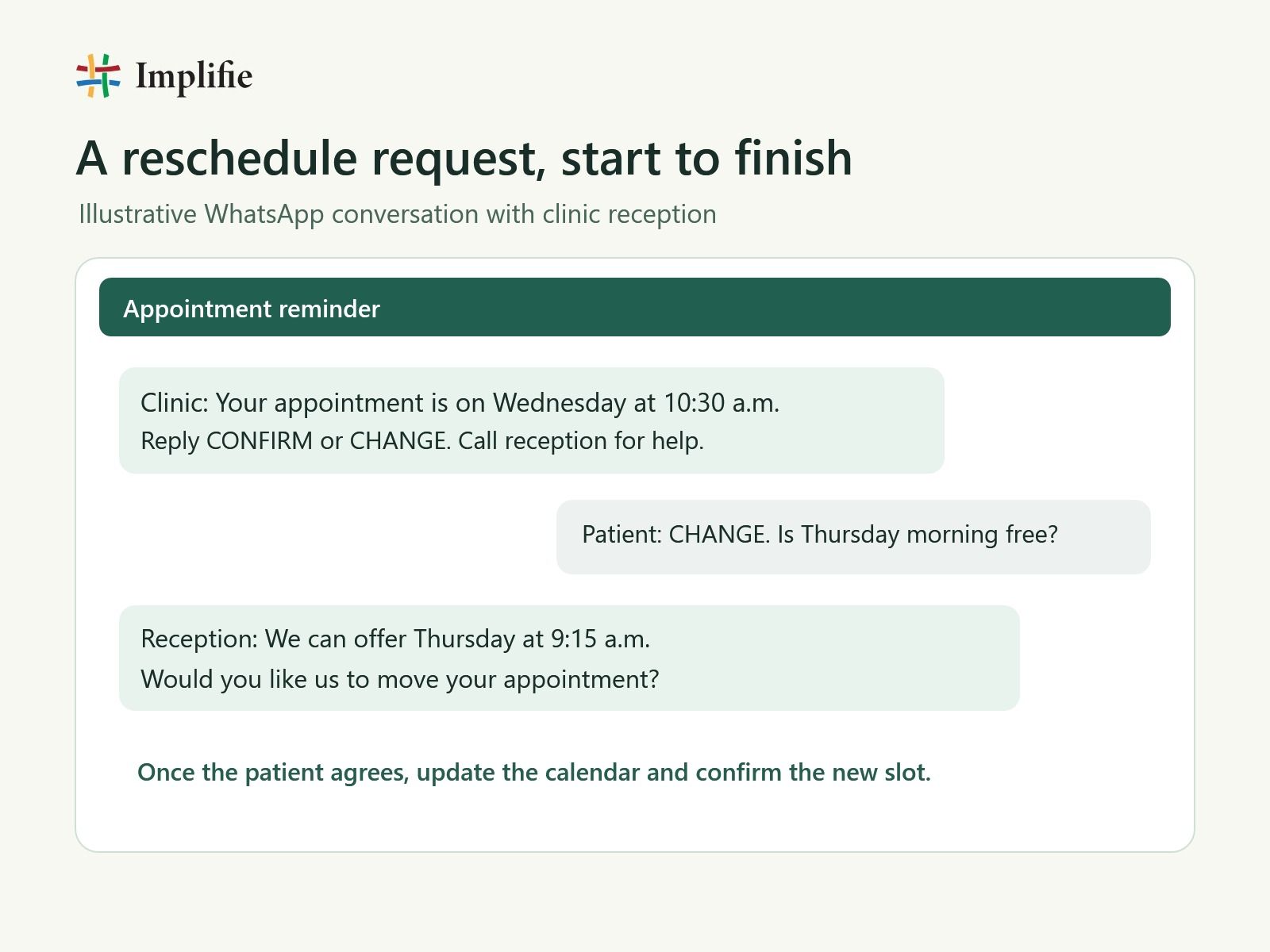
Start with one reminder about a day before the visit, at a time when the front desk can answer replies. Include the clinic name, day, date, time and branch if you have more than one. Offer two simple actions, such as Confirm and Request a change, and include a way to reach reception.
Give patients a chance to opt in when they book and record their preference. On the WhatsApp Business Platform, use an approved message template for a reminder you initiate outside the customer service window. Keep the template about the existing appointment and use a separate workflow for promotional messages. WhatsApp Business Messaging Policy
Give each reply a next step
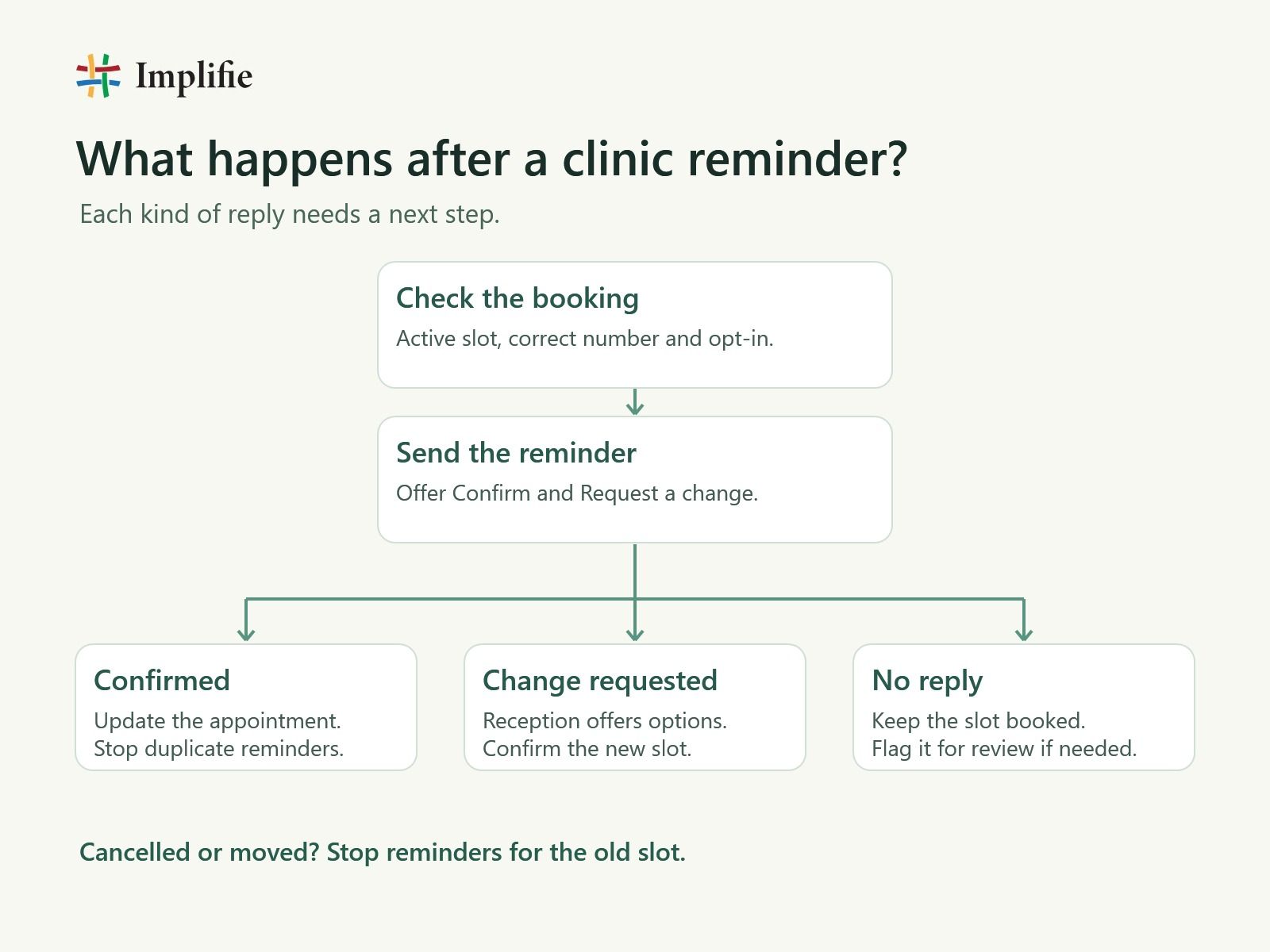
A confirmation should update the appointment record. A request to change the time should go straight to reception with the booking reference. The receptionist checks availability, offers a time and updates the schedule once the patient agrees. If the patient cancels or moves the appointment, stop reminders for the original slot.
Leave the appointment booked when there’s no reply. If your existing policy calls for a follow-up, give reception a list of bookings to review. A failed delivery deserves its own status so staff can check the number or use the agreed backup contact method.
Adapt the workflow to the clinic
At a dental clinic, try it first on scheduled follow-ups and multi-visit treatments. Reception can use the reminder reply to confirm a chair slot, offer a later time or release a cancelled booking. Log the outcome against the original appointment so the next receptionist can see what happened.
At a diagnostic centre, make the branch and arrival time easy to find. If an appointment needs preparation, use the clinic’s approved channel to share the instructions supplied by the clinical team. Keep routine WhatsApp reminders limited to scheduling details, especially when a family shares a phone. Review your clinic’s privacy and access procedures before connecting a booking system to a messaging workflow.
What a 40% reduction would look like
In one Indian dental study, 79.2% of patients in the SMS reminder group arrived on time, compared with 35.5% in the control group. The study measured on-time attendance and used SMS. It gives clinics a reason to test reminders and measure their own results. Indian dental appointment reminder study
Suppose your clinic recorded 40 no-shows out of 200 appointments before a pilot and 24 out of 200 comparable appointments afterward. The no-show rate would fall from 20% to 12%, a drop of 8 percentage points, or 40% relative to the starting rate. These are example figures.
Compare similar weeks, branches and appointment types. Track no-shows, cancellations, reschedules and reused slots separately, using the same definitions before and after. If more patients cancel early and reception refills those slots, the clinic has an operational gain worth tracking alongside no-shows.
Start with one appointment type in Implifie
Choose one appointment type and keep your booking system as the source of truth. Use Implifie’s WhatsApp follow-up automation to set up the reminder and the shared WhatsApp inbox to route change requests to reception. If you use Google Calendar for scheduling, check the Google Calendar integration against the way your team creates and updates bookings.
Before rollout, try three test bookings. Confirm one, move another and cancel the third. Check that the calendar reflects each outcome and that no reminder goes out for a slot that has moved. Then review the first week with reception. If change requests sit unanswered, fix who owns them before increasing the number of reminders. Explore more options for WhatsApp automation for dental and diagnostic clinics.
Frequently asked questions
When should a clinic send a WhatsApp appointment reminder?
Start with one reminder about a day in advance and review your results. Send it when reception can handle replies, especially if patients need time to arrange transport or request another appointment. Adjust the timing by appointment type.
What should reception do if a patient does not respond?
Keep the appointment booked under your usual policy. A missing reply may mean the message was missed or could not be delivered. Reception can review time-sensitive bookings and use the patient’s agreed backup contact method where appropriate.
Can WhatsApp reminders reduce no-shows by 40%?
A drop from a 20% no-show rate to 12% would be a 40% relative reduction. That is a worked example. Compare your own baseline with a similar group of appointments after rollout to see what changed.
What should a clinic include in an appointment reminder?
Include the clinic name, appointment date and time, the branch if needed, and a simple way to confirm or request a change. Use the clinic’s designated patient channel for reports, test-specific instructions and other sensitive information.
